



Quick Answer
Yes. If your existing business phone number is eligible for texting, you can use a business texting service to send and receive customer SMS from that number. Customers can text the same number they already use to call your business, while your team manages conversations from a computer or smartphone.
The basic process looks like this:
Existing business number → Text-enabled → Customer sends SMS → Business receives message → Team replies
Your existing phone service can continue handling calls while the texting platform manages customer messages.
This can work with eligible business landline and VoIP numbers, so you don't necessarily need to give customers a separate texting number.
Why Let Customers Text Your Business?
Customers already use text messaging to communicate with friends, family, contractors, service providers, and businesses.
For many people, sending a quick text is easier than making a phone call.
A customer might want to ask:
"Do you have anything available Thursday?"
Or:
"Can I move my appointment to Friday?"
Or simply:
"I'm outside."
These conversations don't always require a phone call.
Business texting gives customers another way to reach you while allowing your team to respond from a business-managed platform.
It can also help businesses respond to customers who prefer texting over calling.
And if your existing business number is eligible, you don't necessarily need to give customers a second number just for texting.
Your customers shouldn't need a decoder ring to figure out which number they should text.
Can Customers Text Your Existing Business Number?
Yes, customers can text an existing business phone number if that number has been enabled for SMS text messaging.
This can apply to business landline and VoIP numbers.
A traditional landline or VoIP number may work perfectly well for phone calls without automatically supporting SMS. Text-enabling adds the messaging capability so customers can send texts to the existing number.
The process is simple for the customer who is sending the text message.
They open their regular messaging app, enter your business number, type their message, and send it.
They don't need to know whether your number is technically a landline, VoIP number, or another type of business phone number.
For more information about texting from an existing business number, see Can You Text a VoIP Number? How to Send and Receive SMS From VoIP and Can a Landline Receive Text Messages?.
How Business Phone Number Texting Works
Business texting adds SMS capabilities to an eligible existing phone number.
A typical setup looks like this:
Customer's mobile phone → SMS → Business phone number → Texting platform → Business computer or smartphone
The customer's experience stays familiar.
They use the normal messaging app on their phone.
The business receives the message through the texting platform instead of through the physical desk phone.
Your existing voice service can continue handling calls.
That means one business number can potentially handle both:
Phone calls + Text messages
The phone system handles voice.
The texting platform handles SMS.
The customer just sees one business number.

How to Text Customers From Your Business Number
Once your number has been enabled for texting, sending a customer message is straightforward.
The basic process is:
- Open your business texting platform.
- Select an existing customer from the address book or enter their phone number.
- Type your message.
- Send it from your business number.
- Continue the conversation when the customer replies.
The customer sees your business phone number as the sender.
This is different from sending a message from an employee's personal cell phone because the conversation stays connected to the business.
For example:
Business: Hi Sarah, your appointment is confirmed for Thursday at 2 PM.
Customer: Thanks! Can I come at 2:30 instead?
Business: Yes, 2:30 works. We've updated your appointment.
A simple conversation like this can happen without either person needing to make a phone call.
How to Receive Customer Replies
Business texting is conversational and work both ways.
Customers can send messages to your business number, and your team can respond through the texting platform.
For example:
Customer: Hi, are you open Saturday?
Business: Yes, we're open from 9 AM to 2 PM.
Customer: Great. Can I schedule an appointment?
Business: Absolutely. We have 10 AM and 1 PM available.
The customer doesn't need a special app or account.
They simply text your business number using their normal messaging app on their mobile phone.
The business receives the message through its texting platform and replies from there.
This creates a two-way SMS conversation rather than simply sending one-way notifications.
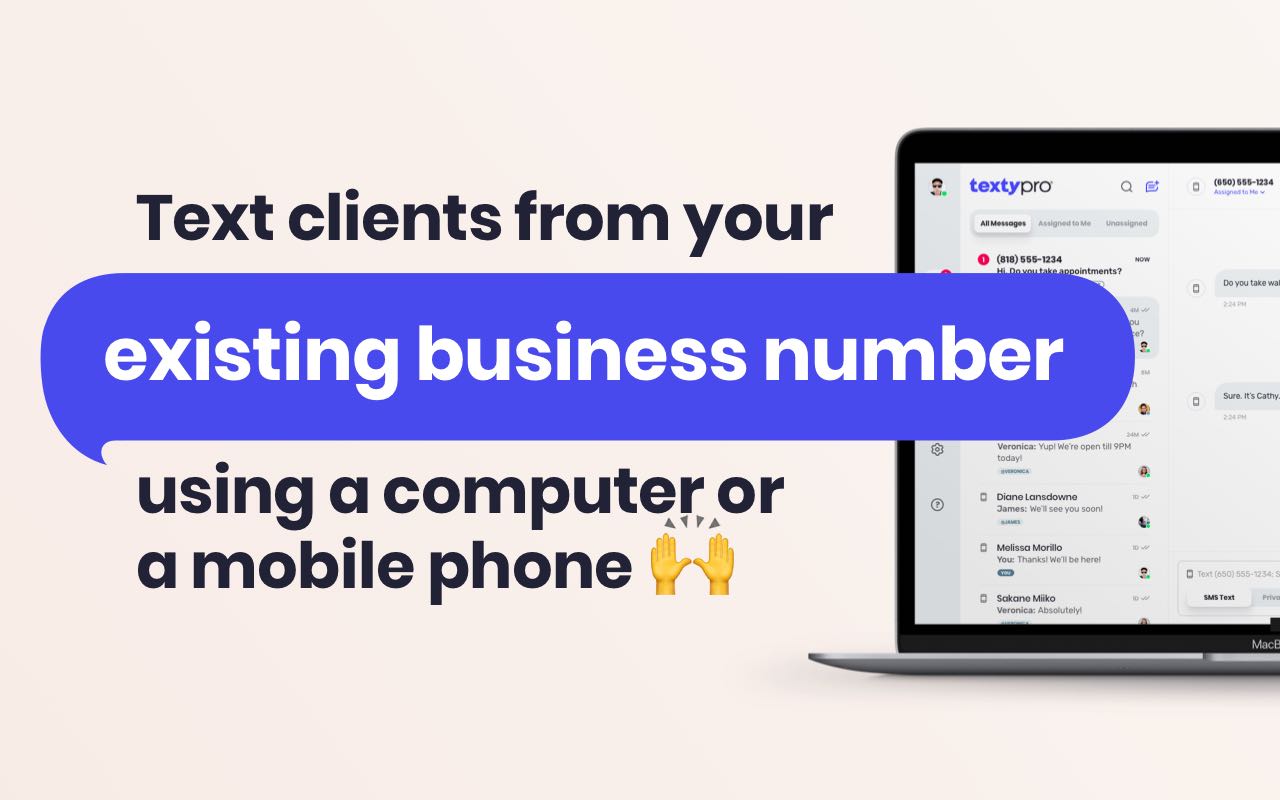
How to Text Customers From a Computer
One of the biggest advantages of business texting is that employees don't have to use a personal smartphone to communicate with customers.
A business texting service can provide a centralized way to manage customer conversations from a computer or mobile device.
The process is simple:
- Log into the business texting platform.
- Find the customer conversation or enter the customer's number.
- Write your message.
- Send the message from the business number.
- Receive replies in the same conversation.
This can be especially useful for businesses where employees spend most of their day at a desk.
A receptionist can respond to appointment requests.
A sales employee can follow up with leads.
A customer service representative can answer questions.
An office manager can coordinate scheduling.
Everyone can communicate using the business number instead of a personal cell phone.
For more information, see How to Text From a Computer.
How to Text Customers From a Smartphone
Business texting doesn't have to happen at a desk.
Depending on the service, employees can also manage customer conversations from a laptop or a smartphone through a business text messaging mobile app.
That can be useful for employees who spend time away from the office.
A contractor can respond to a customer from a job site.
A salesperson can follow up with a lead between appointments.
A real estate agent can answer a prospective buyer while traveling.
A business owner can check messages while away from the office.
The important part is that the employee can communicate using the business number, rather than giving customers a personal cell phone number.
Can You Use One Number for Calls and Texts?
Yes. An eligible business phone number can be used for both calls and text messages.
Your existing phone service can continue handling voice calls while the texting platform manages SMS.
For the customer, there's no need to think about which number to use.
They can call:
555-123-4567
They can also text:
555-123-4567
One number.
Two ways to communicate.
That's much easier than telling customers:
Call: 555-123-4567
Text: 555-987-6543
Now someone has to remember which number does what.
If your existing business number is eligible for texting, keeping one number can make communication much simpler.
Do You Need a New Business Phone Number for Texting?
You can get a separate phone number for texting, but for most businesses, using the same number for calls and texts is usually the better option.
Customers are naturally more comfortable communicating with a number they already recognize. If they've previously called your business, they may already have the number saved in their phone. On some smartphones, that can make future calls and messages easier to recognize because the number is already associated with your business contact.
A familiar number also builds trust.
If a customer has been talking with you by text, they are more likely to call that same number when they need to speak with someone. They shouldn't have to wonder:
"Which number do I call, and which one do I text?"
If your existing business landline or VoIP number is eligible for texting, adding SMS to that number can keep the experience much simpler.
Call or text: 555-123-4567
Instead of:
Call: 555-123-4567
Text: 555-987-6543
Now the customer has one number to remember.
This also matters because your main business phone number may already appear in dozens of places.
You may have it listed on:
- Your website
- Google Business Profile
- Business cards
- Vehicles
- Signs
- Invoices
- Advertising
- Online directories
- Email signatures
- Customer records
- Social media profiles
Changing or adding another number can create confusion and extra work. Many online services also only give businesses one primary phone number field, so you may not always have an obvious place to display both a call number and a separate texting number.
If customers already recognize your business number, adding texting to that number lets you keep one familiar point of contact for both calls and messages.
What Types of Business Numbers Can Be Text-Enabled?
Most business landlines or VoIP phone numbers can be text-enabled.
Eligibility depends on the number, the provider, the service configuration, and applicable messaging requirements.
Texty Pro supports most business landline and VoIP numbers in the United States and Canada, subject to eligibility and compliance requirements.
A business landline may be eligible even though it wasn't originally designed for SMS.
Likewise, a business VoIP number can potentially be text-enabled if it meets the requirements.
Some phone services include their own messaging capabilities or restrict third-party texting services. Certain types of numbers may also be excluded.
That's why it's better to check the specific number rather than assume every business number will qualify.
You can learn more about which phone numbers Texty Pro supports.
How to Start Texting Customers From Your Existing Number
If you already have a business phone number, getting started generally involves a few steps.
1. Choose a Business Texting Service
Choose a business text messaging platform that supports your existing business phone number and provides the features your business needs.
If keeping your current phone number is important, make sure the service supports text-enabling rather than requiring you to purchase a new number.
2. Verify That You Control the Number
The texting provider will need to verify that you control the business number.
The exact verification process can vary depending on the number and provider.
3. Complete the Text-Enablement Process
Once the number has been verified and approved, texting can be enabled.
Your business phone number remains the same.
4. Start Sending and Receiving Customer Messages
Once setup is complete, your team can begin sending and receiving customer texts through the platform.
Customers can continue using the number they already know.
What Business Texting Features Should You Look For?
Not every business texting service works the same way.
If you're choosing a platform, look beyond simply being able to send an SMS.
The right features can make a bigger difference once multiple employees and customer conversations are involved.
Shared Inbox
A shared inbox allows your team to manage business conversations from one place.
Instead of customer messages being trapped on one employee's phone, authorized team members that have access to the text messaging service can access the conversations they need.
This is especially useful for customer service, scheduling, sales, and support teams.
Team Collaboration
If several employees communicate with customers, look for tools that make collaboration easier.
Team members should be able to see and respond to customer conversations without needing access to someone's personal phone.
This can also make it easier to maintain customer communication when an employee is unavailable.
Custom Message Templates
Businesses often send the same types of messages repeatedly.
Appointment confirmations.
Follow-ups.
Scheduling instructions.
Service reminders.
Saved custom templates can make these personalized messages faster to send while helping your team maintain consistent communication.
Auto-Replies
Auto-replies can provide an immediate response when your team isn't available.
For example:
"Thanks for contacting us. Our office is currently closed. We'll respond during normal business hours."
This lets customers know their message was received without requiring an employee to respond immediately.
Scheduled Messages
Scheduled messages can be useful when a message needs to go out at a specific time.
Businesses can use scheduling for reminders, follow-ups, notifications, and other planned communications.
It can also help employees avoid manually remembering to send every message.
SMS and MMS
SMS handles standard text messages.
MMS can support pictures, PDFs and other media, depending on the service.
For businesses such as contractors, property managers, auto repair shops, and service companies, the ability to exchange photos can be particularly useful.
For example, a customer could send a picture of a damaged fixture instead of trying to explain the problem in six paragraphs.
What Can Businesses Use Customer Texting For?
Business SMS can be useful across many industries and departments.
Common uses include:
- Appointment scheduling
- Appointment confirmations
- Appointment reminders
- Customer questions
- Estimate follow-ups
- Sales follow-ups
- Customer support
- Order updates
- Service notifications
- Delivery updates
- Recruiting
- Customer feedback
- Scheduling
- General customer communication
For example, a home service company could text a customer when a technician is on the way.
An auto repair shop could notify a customer when a vehicle is ready.
A real estate agent could send showing information.
A contractor could follow up on an estimate.
A medical or professional office may use appropriate messaging for scheduling and reminders, subject to applicable privacy and compliance requirements.
The point isn't to replace every phone call.
It's to give customers another convenient way to communicate with your business.
Why Use Business Texting Instead of a Personal Cell Phone?
Using an employee's personal cell phone can seem like the fastest solution.
But it can create problems as the business grows.
Customer conversations become associated with an individual employee.
Employees may receive business messages outside working hours.
Other employees may not have access to the conversation.
Customer information may remain on personal devices.
And if the employee leaves the company, transferring those conversations can become complicated.
Business texting keeps the communication connected to the company.
Customers text the business.
The business manages the conversation.
That distinction becomes increasingly important when multiple employees are communicating with customers.
Why Use a Business Texting Service Instead of a Separate Number?
A separate texting number can work.
But if your existing business number is eligible, there may be little reason to make customers learn another number.
Consider:
Call: 555-123-4567
Text: 555-987-6543
Now customers have to remember two numbers.
Compare that with:
Call or text: 555-123-4567
The second option is easier to communicate on a website, advertisement, vehicle, business card, or sign.
More importantly, customers already recognize the number.
Can Customers Text a Business Number From an iPhone or Android?
Yes. If the business number has been enabled for SMS, customers can use the normal messaging app on an iPhone, Android phone or even a flip phone as long as they have SMS text messaging plan on their mobile service.
They don't need to download your business texting app.
They don't need to create an account.
They simply enter the business number and send the message.
The business receives the message through its texting platform and can respond from a computer or supported mobile device.
From the customer's perspective, it's just another text conversation.
Can Multiple Employees Text Customers From the Same Number?
Many business texting platforms allow multiple employees to manage conversations associated with the same business number.
This can be useful for teams that share responsibility for customer communication.
For example, a customer sends:
"Can I move my appointment from Thursday to Friday?"
The message doesn't have to sit on one employee's personal phone.
Instead, the appropriate team member can access the business conversation and respond.
Shared access can also help businesses maintain continuity when employees are out of the office, change roles, or leave the company.
Can You Send Pictures to Customers From a Business Number?
If your business texting service supports MMS, you can send and receive supported pictures and other media.
This can be useful when a photo communicates more information than a text message.
For example:
Contractor: Can you send us a picture of the damaged pipe?
Customer: Sure. Sending it now.
The customer can send the image directly to the business number, and the business can respond through the same texting platform.
Texty Pro supports SMS and MMS for supported business numbers to send pictures, PDFs, recorded voice clips and other media.

How Texty Pro Helps Businesses Text Customers
Texty Pro allows eligible businesses to add texting to supported business landline and VoIP numbers in the U.S. and Canada.
Businesses can use the existing number for customer calls while managing text conversations through the Texty Pro platform.
Depending on the plan and setup, businesses can use features such as:
- Shared conversations
- Team messaging
- Message templates
- Auto-replies
- Scheduled messages
- SMS and MMS
- Computer-based texting
- Mobile messaging
The goal is simple: let customers text the business without forcing the business to abandon the phone number customers already know.
You can learn more about Texty Pro business texting.

Business Texting and Customer Communication
Texting customers comes with responsibilities.
Businesses should follow applicable SMS regulations such as TCPA for U.S. and CASL for Canada, carrier requirements, and messaging best practices.
Before sending messages, consider:
- Whether the customer has agreed to receive messages
- What type of messages you're sending
- How frequently you're contacting customers
- Appropriate messaging hours
- How customers can opt out
- Requirements that may apply to your industry
Rules can vary depending on the type of communication and the business.
Business SMS should be treated as a customer communication channel, not simply another place to send unlimited promotional messages.
Getting Started With Business Customer Texting
If you want customers to text your business, you don't necessarily need to start from scratch.
If you already have a business landline or VoIP number, start by checking whether that number is eligible for texting.
If it is, you can potentially:
- Keep your existing business number.
- Enable it for SMS.
- Connect it to a business texting platform.
- Give customers one number for calls and texts.
- Manage conversations from a computer or smartphone.
- Use shared inboxes, templates, auto-replies, and scheduling to make customer communication easier.
The result is a simpler way for customers to contact your business without adding another number to remember.
Frequently Asked Questions About Texting Customers From a Business Number
Can I text customers from my existing business phone number?
Yes. If your existing business number is eligible for SMS, you can use a business texting service to send and receive customer messages without necessarily changing the number.
Can customers text my business phone number?
Yes. Once the number has been enabled for SMS, customers can generally send messages to it using their normal mobile messaging app.
Can I text customers from a business landline?
Yes. Eligible business landline numbers can be text-enabled through a compatible business texting service.
Can I text customers from a VoIP number?
Yes. Eligible business VoIP numbers can be enabled for SMS, depending on the number, provider, and service configuration.
For more information, see Can You Text a VoIP Number?.
Do I need a new phone number for business texting?
No. If your existing business number is eligible, you may be able to add texting to it instead of purchasing a separate number.
Can I use the same number for calls and texts?
Yes. An eligible business number can be used for voice calls and text messaging through the appropriate services.
Can I text customers from a computer?
Yes. Business texting platforms can provide a web-based inbox where employees can send and receive customer messages from a computer.
Can I text customers from a smartphone?
Yes. Depending on the service, employees can manage business conversations through a supported mobile app.
Can multiple employees use the same business texting number?
Many business texting platforms support team access, allowing multiple employees to manage customer conversations associated with the same business number.
What features should a business texting service have?
Useful features can include shared inboxes, team collaboration, templates, auto-replies, scheduled messages, SMS, MMS, and computer and mobile access.
Can I send pictures to customers by text?
Yes, if the business texting service supports MMS. Businesses and customers can exchange supported images and other media through the texting platform.
Do customers need an app to text my business?
No. Customers can generally use the standard messaging app on their iPhone or Android device to text an SMS-enabled business number.
Can I text customers without using my personal cell phone?
Yes. A business texting platform lets employees communicate with customers through the business number instead of using personal phone numbers.
Does text-enabling change my business phone number?
No. The purpose of text-enabling an eligible existing number is to add messaging capabilities while keeping the same phone number.
Does business texting replace phone calls?
No. Texting gives customers another communication option. Businesses can continue using their existing phone service for calls while managing SMS through a texting platform.
So, How Do You Text Customers From Your Existing Business Phone Number?
If your existing business phone number is eligible for SMS, you can text customers from that number through a business texting service.
You don't necessarily need to purchase a second number.
You don't need employees to use their personal cell phones.
And your customers don't have to learn a new number.
Instead, you can keep your existing business landline or VoIP number, add texting capabilities, and manage customer conversations from a computer or smartphone.
For businesses, the real benefit isn't simply being able to send an SMS.
It's giving customers an easy way to reach the business while keeping those conversations organized and connected to the company.
If you're ready to let customers text your existing business number, check out Texty Pro's business texting service.


